A property sale in Prazu, step by step.
This tour follows a sample deal at an agency in Porto, from accepted offer to deed. Every step shows a real Prazu screen, from the agency's side and the client's, so you can see in a few minutes how the process runs without documents lost in emails and chats.
The agency, people, addresses and documents in this tour are fictional.
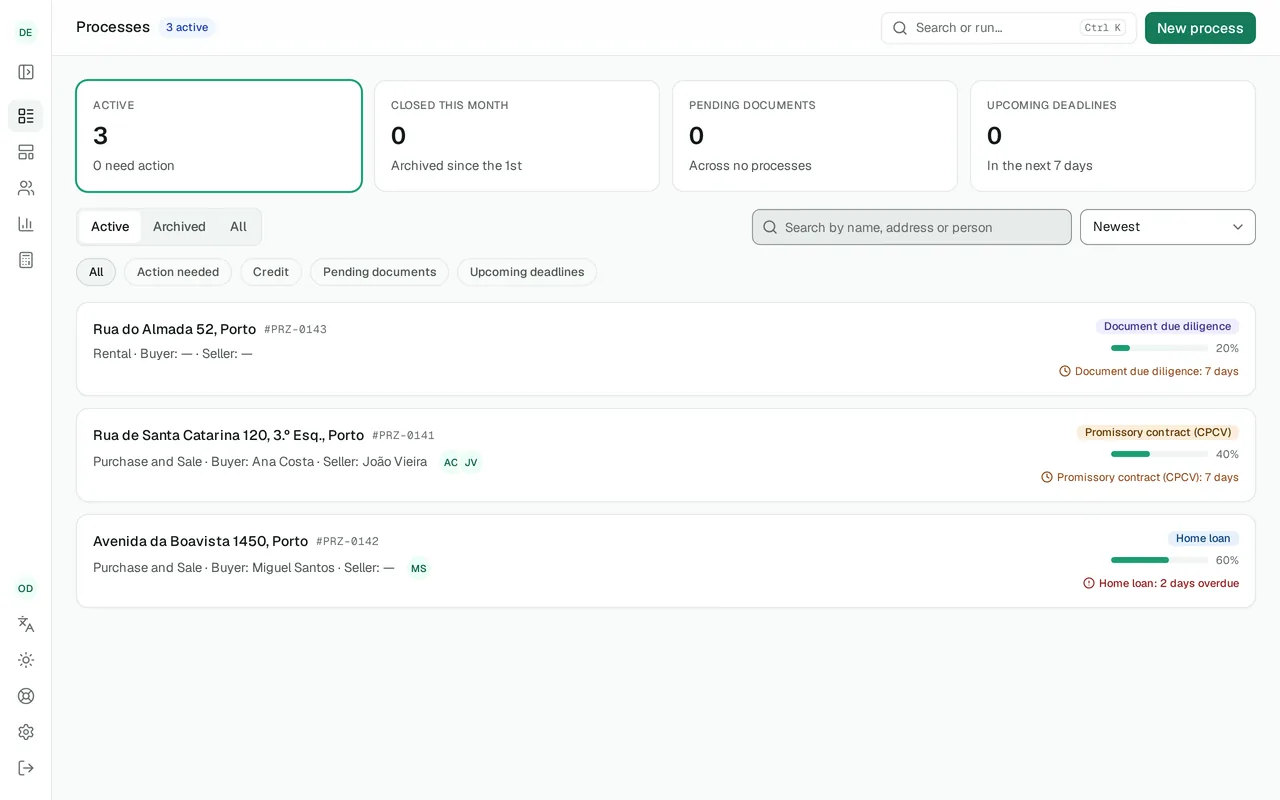
Every deal on one board
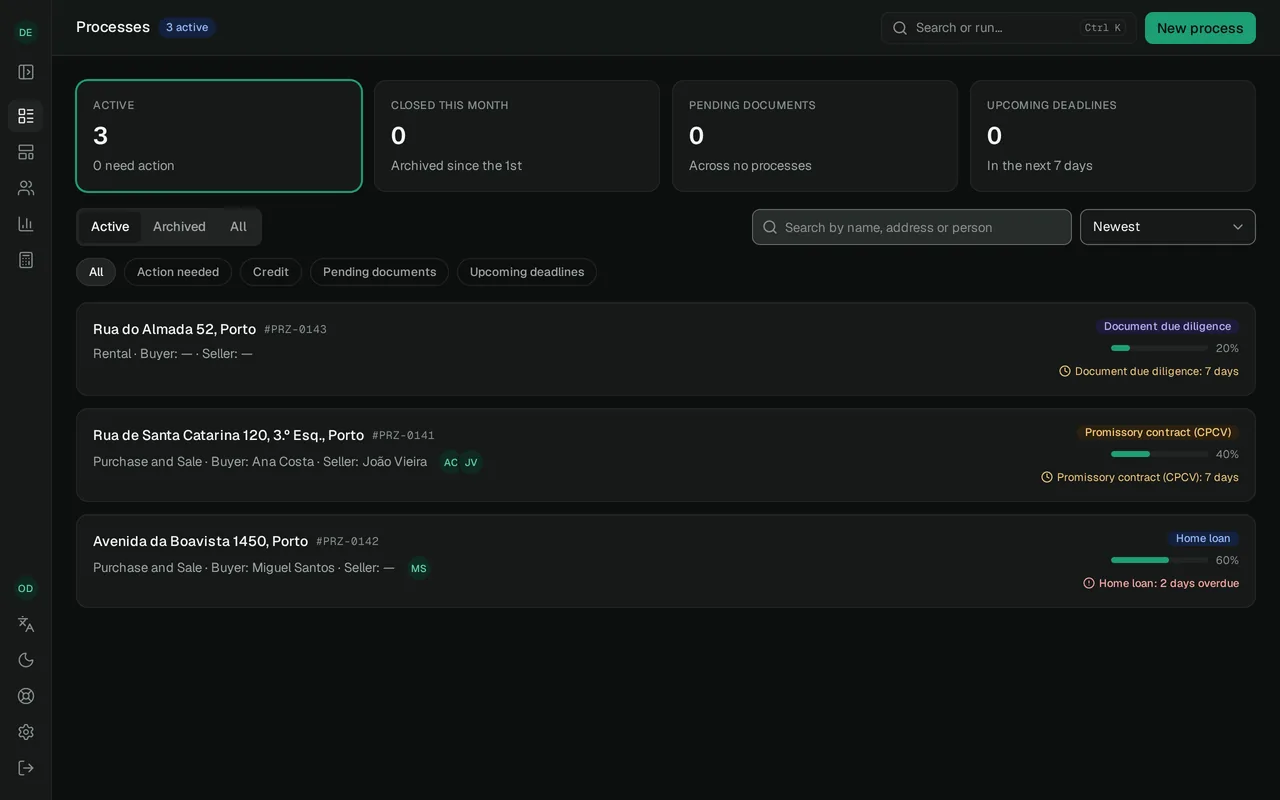
The agency sees each running process with its stage, progress and next deadline. A flat on Rua de Santa Catarina is at the CPCV stage.
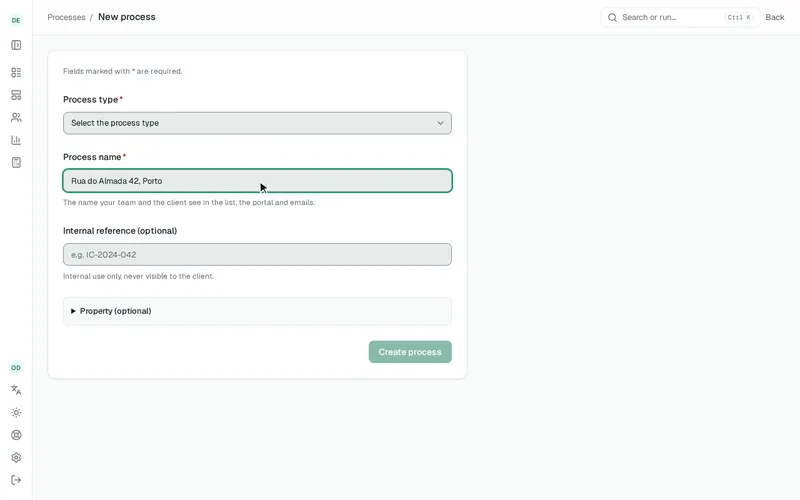
Create the deal from a template
A new process starts from a ready-made sale template, with the stages and documents already set. A title is enough; the property details can come later.
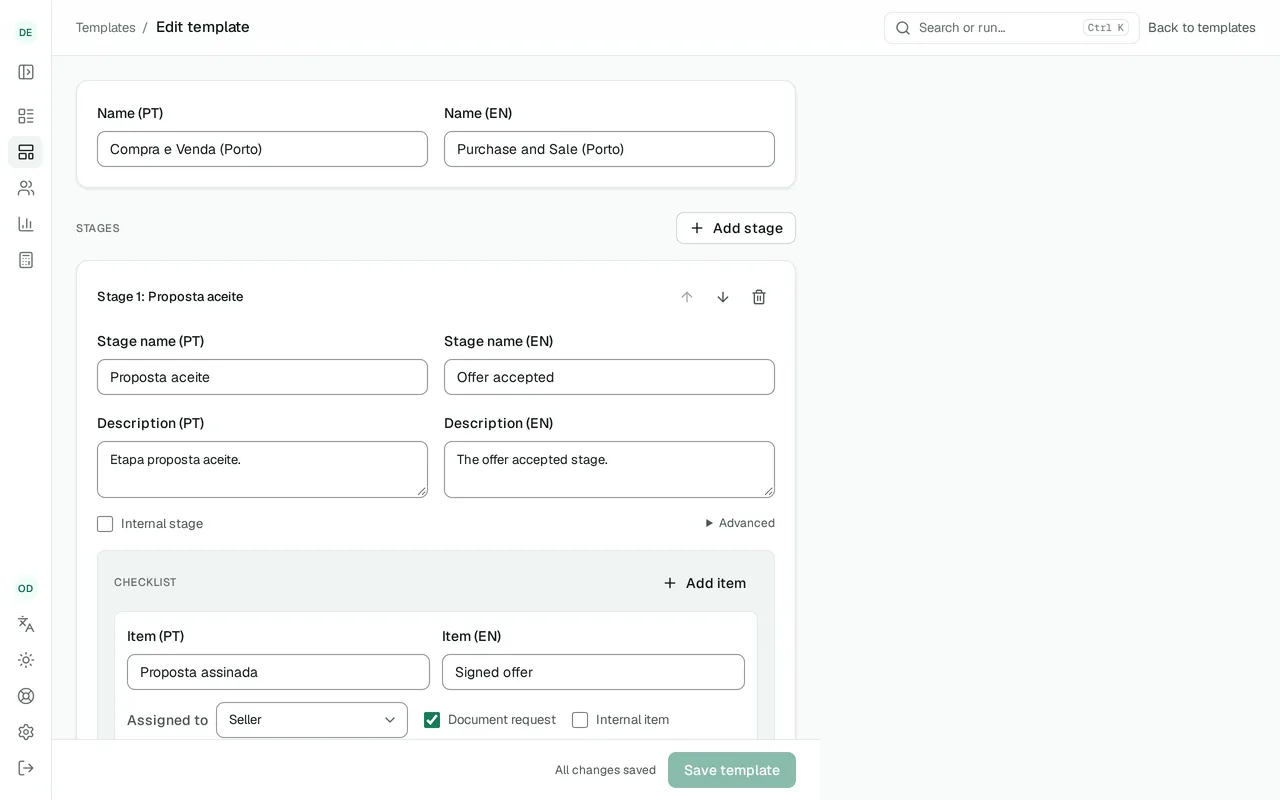
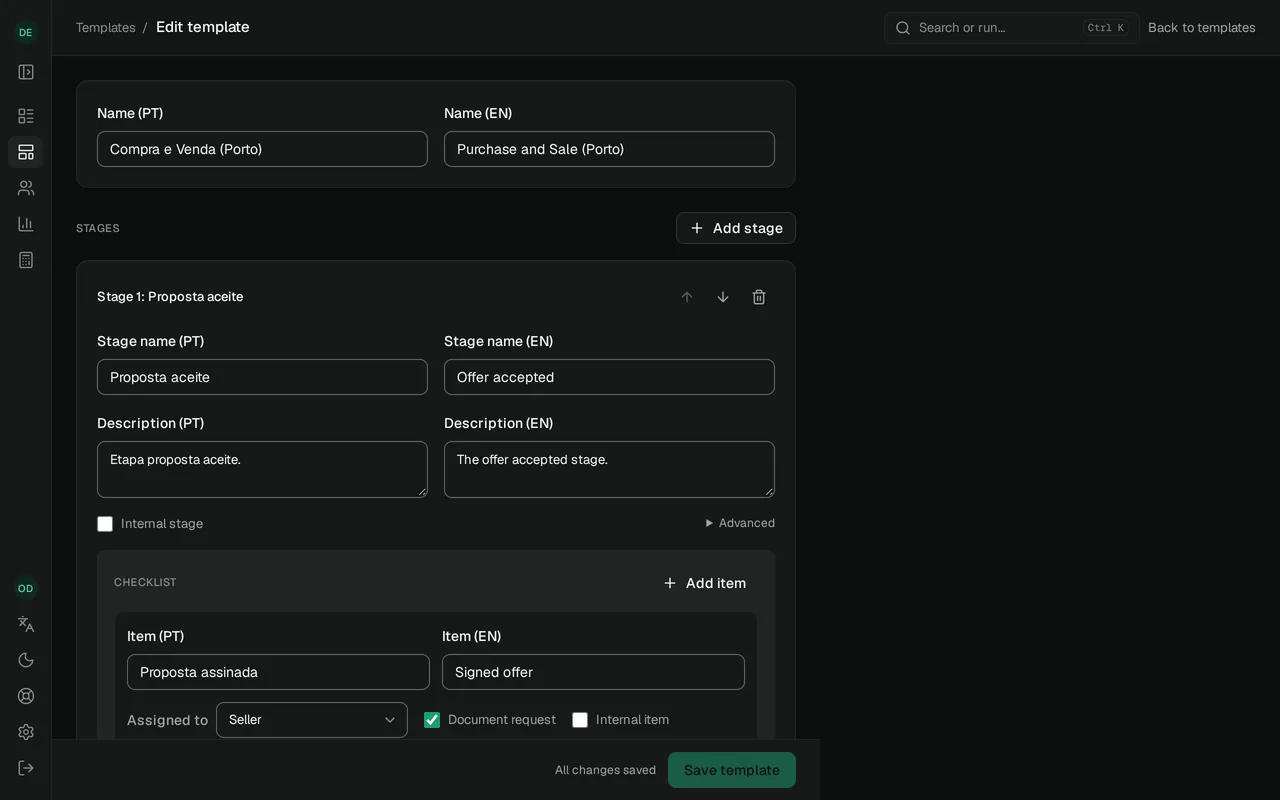
The agency's own stages
If the agency works differently, it edits the template: stages, tasks and the documents for each stage. New processes start that way.
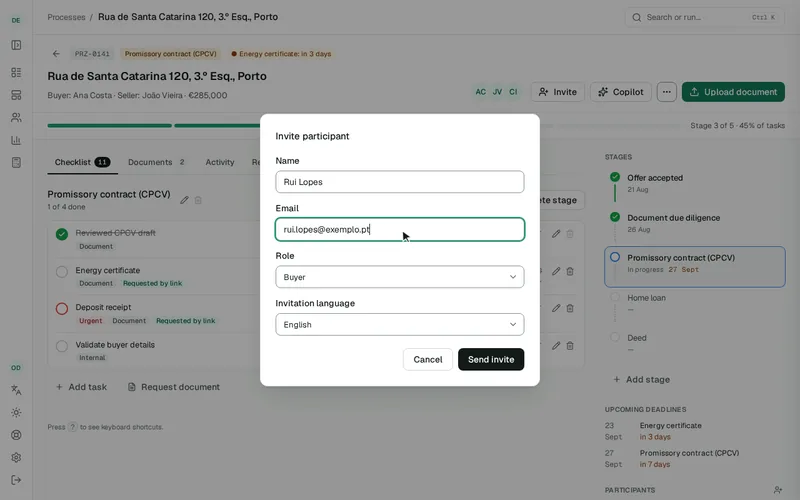
Invite buyer and seller
Each party gets an email invite with their role. Buyer, seller, bank or lawyer see only their part.
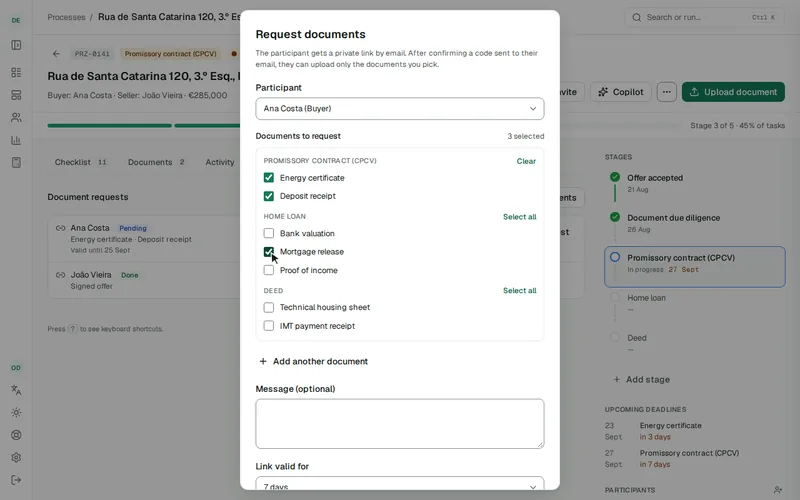
Request the missing documents
The agency picks the documents and who to ask. Each person gets a private link to hand them in, with no email back and forth.
The client gets in with a code
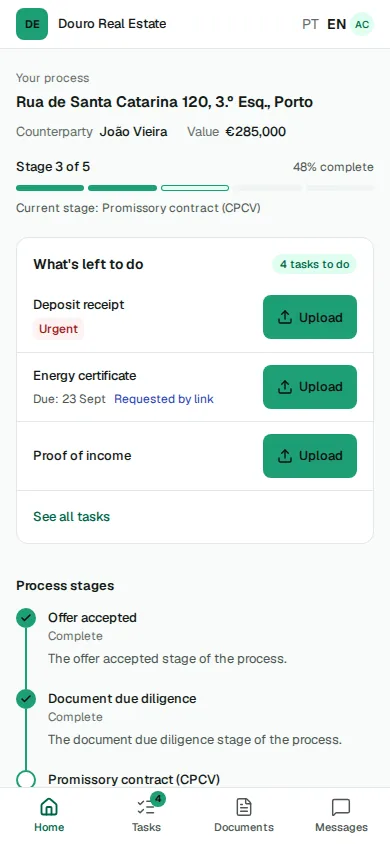
The buyer opens the link on their phone and confirms with a 6-digit code sent by email. No account and no password.
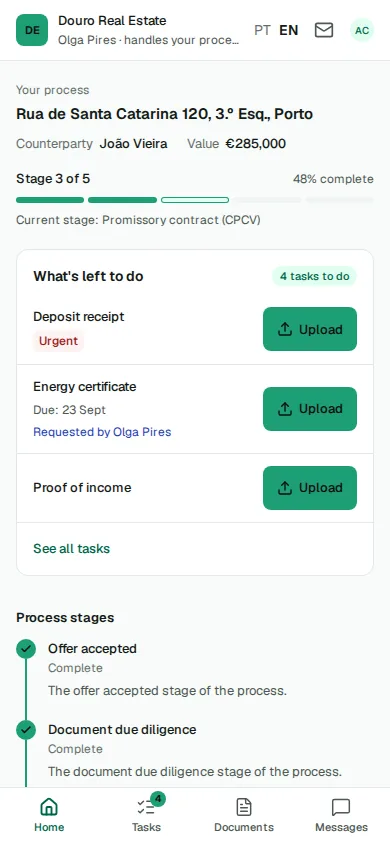
The client hands in from their phone
In the portal they see the current stage, the tasks that are theirs and what is still missing. Each document lands in the right place.
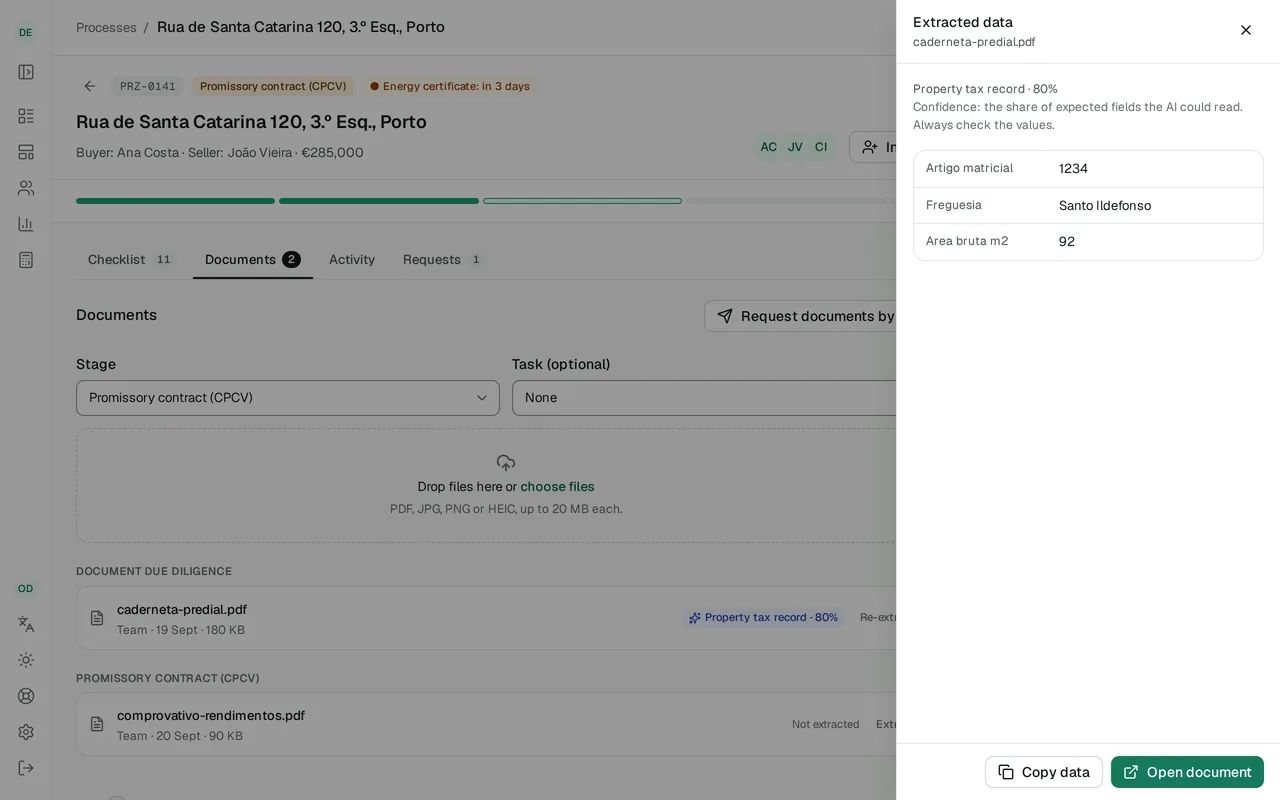
The AI reads the tax record
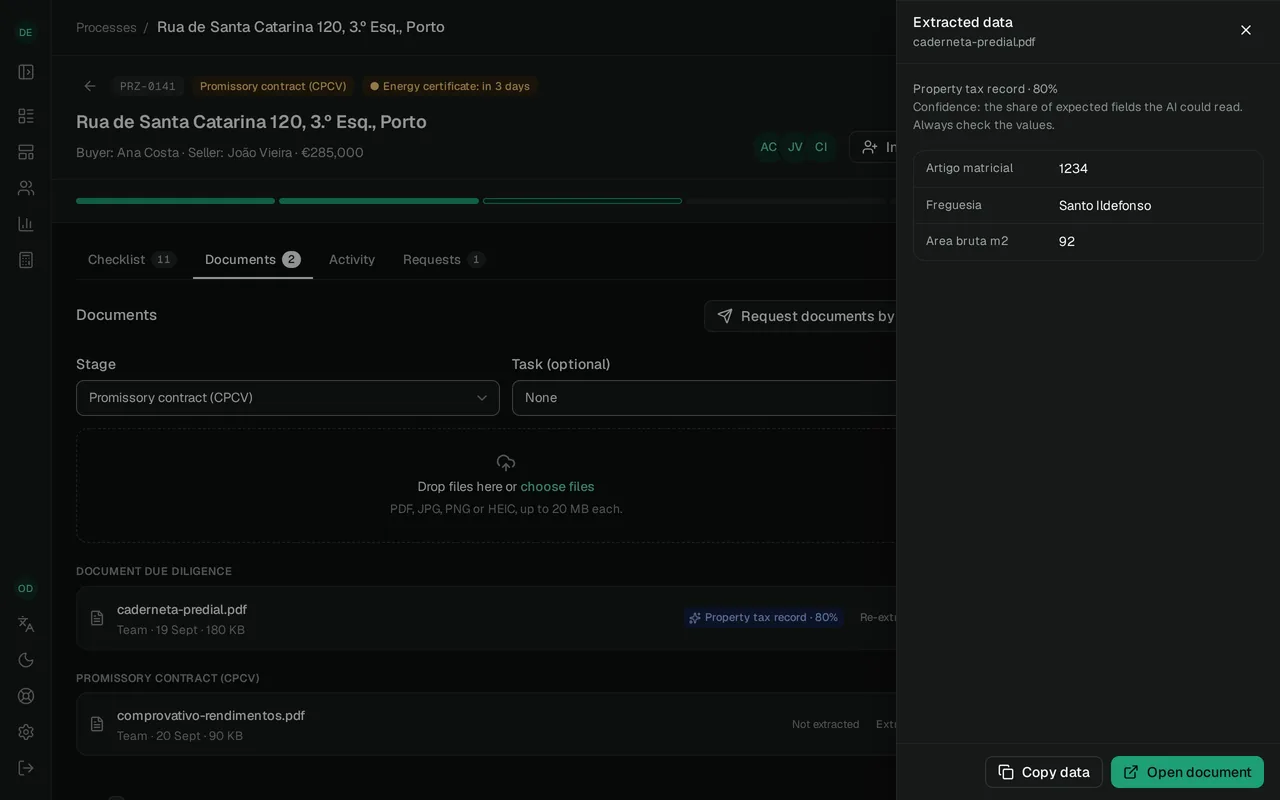
Prazu extracts the key data from the property tax record, such as the matrix article, parish and area, and compares it with the other documents. The team always confirms the values.
Follow through to the deed
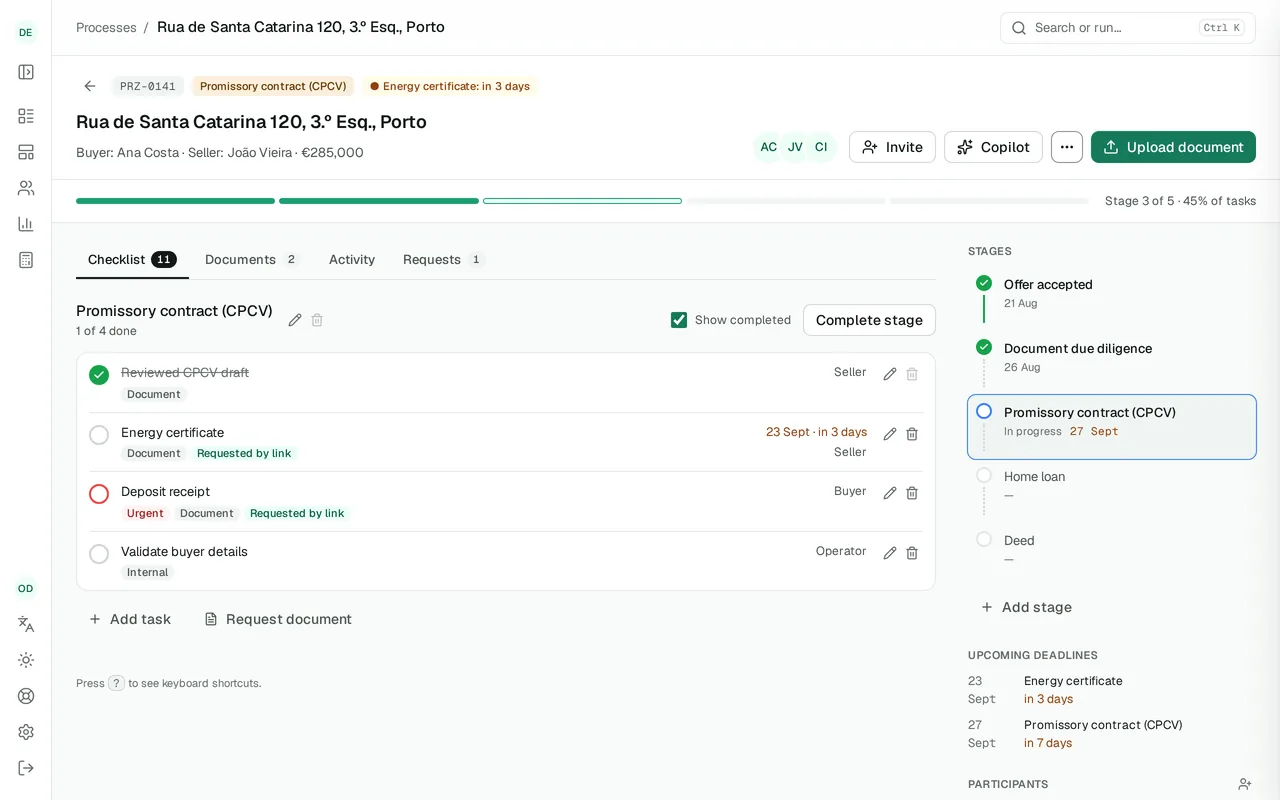
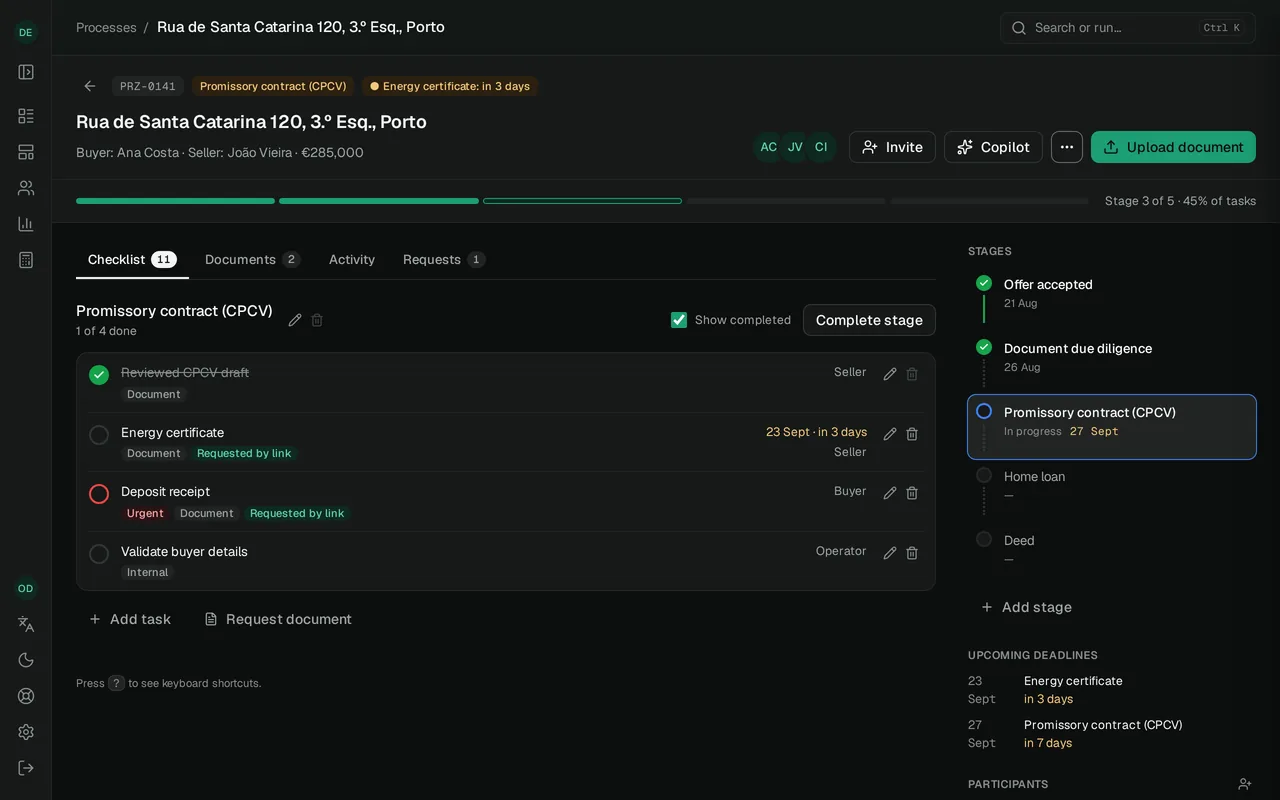
The process shows the stage checklist, upcoming deadlines and the history of everything that happened. The whole team knows where it stands.
Complete and archive
Once the deed is signed, the process is archived: it stops counting towards the plan's active process limit and the history is kept.


Want to see this with your agency's deals?
In a 15-minute demo we walk through this example with you and answer your questions. Or try it now, 14 days of the Agency plan with no card.
Process templates
Who it is for
Features
- Client portal →The client opens a link, confirms with a 6-digit code and sees the current stage, what is missing and the deadlines. Uploads happen in the browser.
- Document management →Every document requested from whoever has to provide it, tied to its checklist item, stage and deadline. No attachments lost in email or WhatsApp.
- Artificial intelligence →Reads the caderneta and land registry certificate, extracts the data, flags mismatches across documents and drafts emails. Only on your processes.